

If you have ever bought a pretty clipart bundle, opened the folder… and wondered “okay, now what?”, you are in good company. Watercolor clipart is the easiest craft supply you will ever own: no paint, no drying time, no drawing skills needed — just place the artwork on a page, print, and cut.
This guide starts with the two-minute basics — file types, print quality and resizing — then walks through 15 easy projects moms and teachers actually finish: cards, nursery prints, classroom labels, party decor and more. They all use the same few skills, so after the first one, the rest take minutes.
Clipart Basics in 2 Minutes
Four small things separate a crisp, professional-looking print from a fuzzy disappointment:
- PNG vs JPG. A PNG has a transparent background — the design floats on its own and drops neatly onto colored paper, photos or other designs. A JPG is a solid rectangle, usually with a white background. For cards, labels and stickers, you almost always want PNG.
- Print quality (DPI). DPI means “dots per inch” — how much detail the file holds. For printing, look for 300 DPI. A design can look fine on screen yet print fuzzy if it is low resolution or printed too large.
- Resize without stretching. Drag from a corner handle (hold Shift in most programs) so width and height grow together. Dragging a side handle stretches the picture — and squashed elephants help nobody.
- Check the license. Every shop writes its own terms: some sets are personal use only; others let you sell finished items you make. Always read the listing’s license section before selling anything made with clipart.
No special software needed: Canva (free), Word, Google Slides and PowerPoint all place, resize and print clipart happily.
15 Easy Watercolor Clipart Projects
Start with whichever project matches your next occasion — each notes the best clipart style plus one tip that saves time or paper.

1. Greeting Cards
Fold a sheet of cardstock in half, place one generous PNG design on the front, and add a short message. Floral wreaths and bouquets — like the ones in our Wedding Florals Clipart set — make thank-you cards that look hand-painted. Tip: print on matte cardstock; glossy paper makes watercolor look like a flat photo.
2. Gift Tags
Arrange six to eight small designs on one page, print on cardstock, cut, punch a hole and tie with twine. Small single motifs — an ornament, a single flower, a tiny animal — work best at tag size. Tip: use one design in different sizes across a gift pile for an instant matching set. For step-by-step settings, see how to print clipart at home before you print a full sheet.
3. Nursery Wall Prints
The classic clipart project: one sweet animal per page, printed at 8×10 and slipped into an inexpensive frame. Sets like our Baby Animals Clipart are drawn exactly for this — an elephant, giraffe and lion trio covers most nursery themes. Tip: leave a white border around the design; it makes a plain frame look like a gallery print.
4. Planner Stickers
Shrink designs to about an inch, fill a page, print on sticker paper and cut them out (scissors work fine). Seasonal sets give your planner a fresh theme every month. Tip: choose designs with simple outlines — they are far easier to cut neatly.
5. Classroom Labels & Name Tags
Type each child’s name under a friendly animal or character, print, and laminate. Give each child the same character all year, and even the youngest will spot their cubby, book box and bottle at a glance. Tip: use a bold font at a large size — labels should be readable from across the room.

6. Party Invitations
Place a floral wreath or corner arrangement on a 5×7 page, add the party details in a matching font, then print at home or send the file digitally. Florals suit weddings and baby showers; cute animals carry birthday parties. Tip: save a blank version of your design — it becomes matching thank-you cards after the party.
7. Cupcake Toppers & Banners
Print designs at 2–3 inches, cut them out, and tape them to toothpicks for instant cupcake toppers. For a banner, print letters and small motifs on cardstock pennants and string them up. Tip: glue two mirrored prints back-to-back, so toppers look finished from every seat at the table.
8. Bookmarks
Tall, narrow designs — floral sprays, a little stack of animals — fit a classic 2×6 inch bookmark. Print on thick cardstock and round the corners for a store-bought feel. Tip: teachers, a full class set of bookmarks prints on just two or three sheets.
9. Scrapbook Pages
Print favorite designs in a few sizes and layer them around your photos. Watercolor’s soft, feathered edges blend into real photographs far more gently than hard-edged graphics. Tip: print a design or two on vellum and layer over photos for a dreamy effect.
10. Iron-On Tote & Shirt Designs
Print a PNG design onto iron-on transfer paper and press it onto a tote bag, onesie or T-shirt. One big, cute animal turns a plain library tote into the one your child actually wants to carry. Tip: most transfer papers need the image mirrored before printing — check the packet instructions first.
11. Mug & Tumbler Designs
For waterslide decals or sublimation wraps, measure the mug first and size the design to sit nicely on the curve. A floral wreath frames a name or monogram beautifully. Tip: print a test on plain paper and wrap it around the mug to check size before using decal paper.
12. Worksheets & Flashcards
Teachers, one set quietly does a week’s work: animal flashcards, counting cards (“How many bunnies?”), reward charts and word walls all start from the same folder. Tip: keep one character per card for young learners — less clutter means faster recognition.

13. Wrapping Paper
Repeat one small motif across a full page (most programs have a duplicate or grid option) and print on the largest paper your printer takes — perfect for small gifts, and children love spotting “their” animal in the pattern. Tip: pale, simple designs use far less ink; save the rich full-color prints for cards.
14. Calendar Pages
Put one design above each month’s grid for a calendar worth keeping. Seasonal sets were made for this — one Christmas bundle covers December’s calendar, cards and tags in one go. Tip: print on cardstock and bind the pages with two loose rings so they flip easily. For more seasonal projects, try these Christmas clipart ideas.
15. Social Media & Etsy Shop Graphics
Sellers use transparent PNGs for shop banners, sale announcements, thank-you cards and Instagram posts — artwork drops straight onto product photos, no white box. Tip: graphics for your own shop usually count as commercial use, so check the set’s license terms first.
Quick Printing Tips
- Choose “Best” or “High” quality in the print dialog. The default draft mode washes watercolor colors right out.
- Match paper to project: cardstock for cards and tags, sticker paper for stickers, matte photo paper for prints.
- Let prints dry for a full minute before cutting — fresh ink smudges just like real watercolor.
- When you change paper type, print one test page first — always cheaper than reprinting the set.
Quick Questions
What is the difference between PNG and JPG clipart?
A PNG has a transparent background, so the design sits on any color or photo. A JPG is a complete rectangle — best for full-page designs like wrapping paper. Most quality clipart sets are sold as PNGs.
Can I sell things I make with clipart?
It depends on the license that comes with the set. Many shops allow commercial use on finished physical products; some are personal use only — and almost none allow reselling or sharing the digital files themselves. Read the license terms before you sell anything.
What program do I need to use clipart?
Nothing special. If a program can insert a picture — Canva, Word, Google Slides, PowerPoint — it can use clipart. Start with whatever you already have.
Why did my print come out blurry or pale?
Usually size or settings: the design was printed larger than its resolution supports, or the printer was left on draft mode. Print 300 DPI designs at their intended size or smaller, choose Best quality, and set the right paper type.
Final Thoughts
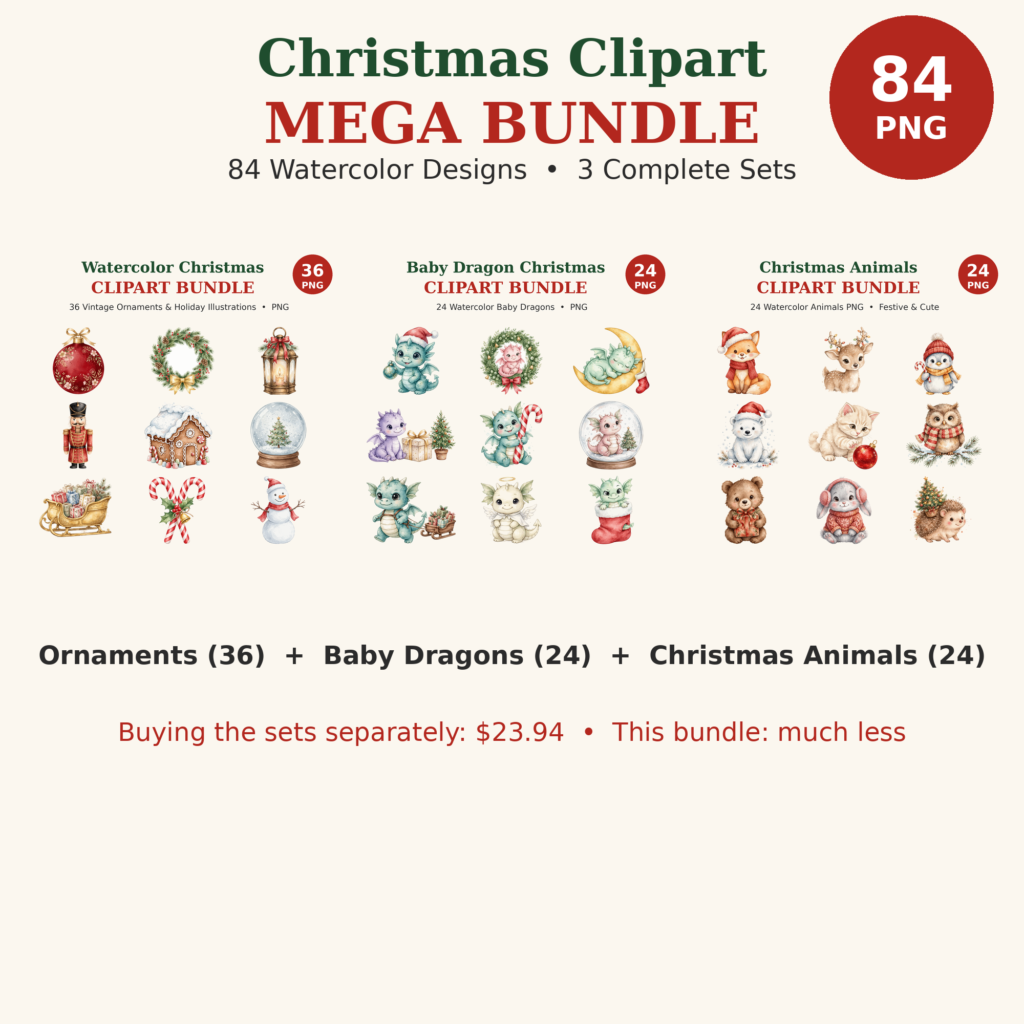
You don’t need all fifteen projects — pick the one that matches your next birthday, holiday or Monday morning, and make just that one. For a ready-made starter library, the three sets featured here — the Christmas Clipart Mega Bundle (84 designs), Baby Animals and Wedding Florals — are all 50% off in our Etsy shop until November 29.
You May Also Like
New here? Try our most-loved beginner guide, How to Crochet an Elephant for Beginners — and browse every pattern, clipart set and printable in our Etsy shop.

